
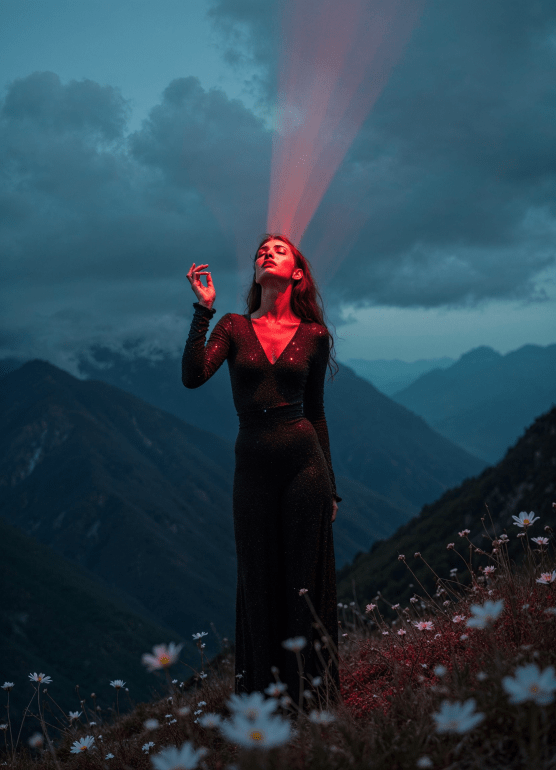
If you’ve been following the digital art scene, you’ve probably heard of Magnific—the AI upscaler that’s been quietly revolutionizing image enhancement, what in AI years would be considered forever. Well, they did the thing finally, the thing we all were hoping for sooner but better late than never right?! Magnific has just upped the ante with their new image generator model, MYSTIC, now available on Freepik. I had the chance to dive into this new tool over the weekend, and I’m here to give you the lowdown on what makes MYSTIC a game-changer for them.
What’s MYSTIC All About?
MYSTIC is Magnific’s latest brainchild, seamlessly integrated into Freepik and what they have been working on since the merging of both brands under Freepik, which has become the new hub for all things Magnific. It’s true, they still have a main website, which everyone loves, and will hopefully stay as a mainstay for the powerhouse upscaler we’ve come to love. The model itself is designed to cater to both seasoned creators and newcomers, offering a sleek and intuitive UI that makes generating your visuals easier than ever. I have seen a lot of UI’s in AI now and as far as generative AI goes it is a delicate dance of balance between arrangement for efficiency and practical design around capabilities, and with AI there are always more than less eventually. The fact they have done such a good job with it shows a lot of intuitive care went in to it, which is appreciated on a user level. The big idea here was to combine all of Magnific’s powerful tools—like upscaling, texture blending, and style transfer—into one cohesive package. And trust me, it delivers.
The Interface: Simple, Sleek, and Stacked with Options
The first thing that hits you when you start using MYSTIC is the interface. It’s clean, it’s intuitive like I said, and it’s loaded with options without feeling overwhelming. Everything is laid out logically, so whether you’re tweaking the lighting, adjusting the color scheme, or playing with the structure (coming soon), it all feels accessible. The left-hand panel gives you quick access to model selection, size adjustments, and other essential variables, while the right-hand panel offers a variety of style, color, camera, and lighting options. (see screenshots below)
One of the highlights is the prompt box where you describe your image. You can either type in a text description or upload an image reference which I thought was kind of awesome out of the gate as many image generators first starting don’t have that image reference built in yet. MYSTIC then does its magic, generating visuals that match your prompt. The level of control here is remarkable in my opinion, it does need customization which I get into below but overall the quality and level of prompt adherence is wonderful—you can fine-tune the image down to specific camera angles or lighting conditions as well and you can also inpaint and more post-generation, making it perfect for those who want a custom-tailored result.
A Closer Look at the MYSTIC Model
MYSTIC is still in its alpha phase, but don’t let that fool you—this thing is powerful, I already told you some of it. It’s designed to combine the best aspects of Magnific’s previous models into the Freepik ecosystem while introducing new capabilities as well. For instance, you can choose there is a new ‘Structure’ option which was not available but could be Control Nets, which would be really amazing, and it’s something that Midjourney just announced as well, so it isn’t beyond the realm of possibility. The MYSTIC model itself is designed for versatility, and you know what that means.. LoRA’s galore! Whether you’re aiming for ultra-realistic textures, vibrant colors, or something more surreal, MYSTIC can handle it, cause I tried. The previews I generated ranged from hyper-detailed surreal images to moody, cinematic scenes that looked like they came straight out of a high-end film production so there is no shortage on the spectrum of possibility with this model.
One other thing, they allow nudity, within reason. So don’t be trying porn, but they are understanding of the visual exploration of the human form and obviously support it as long as it’s not abused. This is kind of awesome for fine art people like myself that create a lot of surreal stuff with some nudity, and most generators don’t allow it. So, we should be thankful in the sense that now one of the best image generators has that ability, which means you do too.
Customization Galore
One of the standout features of MYSTIC is the sheer level of customization it offers. The interface allows you to adjust almost every aspect of your image. Want a wide-shot with a dramatic neon lighting scheme? Done. Prefer a close-up with soft pastel colors? Easy. You can even adjust the framing and structure of your scene to match your creative vision perfectly. They even have a 2:1 aspect ratio which is my favorite of the cinematic AR, and I have only ever seen Midjourney and Tensor Art have that, so already you are getting options not available from others with the exception of a few.
There’s also a variety of styles to choose from, ranging from classic photo-realism to more stylized, artistic looks. The color options include everything from muted pastels to vibrant neons, and you can tweak the camera settings to achieve different framings like aerial views or low-angle shots. The great thing about this is the LoRA’s. My hope is they allow custom training and you can use the LoRA there similar to Runway or Leonardo.
Limitations
That’s right the dreaded limitations, well they aren’t that bad to be honest. Mostly you are limited to a single image generation at a time and the creativity of the model is slightly less than say Midjourney without the use of LoRA styles they have built into the UI workflow for the generator. Those are extremely minor in comparison to all the pro features. They are also going to be fixed at some point in later iterations or updates, this is V1 so it will only get better, which is scary because it’s already really good.
Final Thoughts
MYSTIC is Magnific re-imagined, and I really love it. I think the model and quality are superb, my only hiccups were I wish it generated more than one image simultaneously, waiting made it seem longer only for that reason, even though the generation time is pretty good. Overall it’s not just another image generator and I think it’s everything you would expect from the partnership between Freepik and Magnific, and it’s a great sign of things to come if they are already off the races, now if we can only get a video upscaler with that Magnific charm, haha.
Mystic is a great first child for Magnific and Freepik in that it’s a full-fledged creative suite designed to make your life easier generating while giving you the options to create pro-grade visuals with Magnific level quality output on first gen. The integration into Freepik only makes it more accessible, bringing all of Magnific’s power into a user-friendly platform that’s as easy to use as it is magic.
If you’re already a fan of Magnific, MYSTIC will feel like a natural evolution of the tools you know and love and are used to. If you’re new to the game, this is an excellent place to start, and Freepik offers you more in capability and options across the platform than most so you can dip your toe in everywhere or just somewhere your familiar. Either way, MYSTIC is worth checking out—just be prepared to spend hours lost in it like I did.
First glimpses!


